
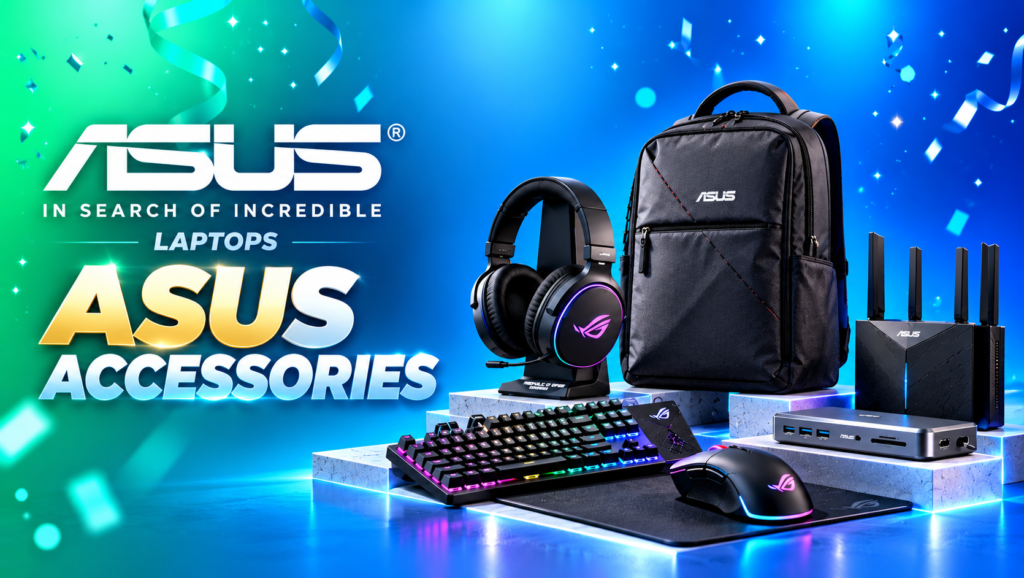

About ASUS Accessories
ASUS is a global technology brand known for its laptops, desktop computers, gaming hardware, monitors and computer accessories. Its accessory portfolio includes products designed to improve productivity, portability, connectivity, gaming and everyday computing.
The official ASUS India store lists accessory categories including keyboards, mice and mouse pads, headsets and audio, apparel and bags, adapters and chargers, docks and cables, and styluses.
ASUS also offers gaming accessories under its Republic of Gamers (ROG) and TUF Gaming families, along with accessories for general computing and professional use.
Depending on the product, ASUS accessories may offer wireless connectivity, programmable controls, RGB lighting, compact designs, fast charging, improved portability or additional connectivity options.
Popular ASUS Accessories Categories
1. ASUS Keyboards
ASUS keyboards are designed for everyday typing, office productivity, gaming and specialised workflows.
The range includes wired keyboards, wireless keyboards, mechanical gaming keyboards and compact keyboard designs.
Popular models and product families include:
- ASUS Marshmallow Keyboard KW100
- ASUS Jelly75 Keyboard KD201
- ASUS Wireless Keyboard and Mouse Set CW100
- ASUS Wireless Keyboard and Mouse Set CW101
- ASUS U2000 Wired Keyboard and Mouse Set
- ASUS TUF Gaming K1
- ASUS TUF Gaming K3
- ROG Strix Scope series
- ROG Falchion series
Depending on the model, features may include quiet keys, mechanical or optical switches, wireless connectivity, programmable controls, RGB lighting and compact layouts.
Who should consider ASUS keyboards?
Students, office workers, writers, programmers and gamers can compare ASUS keyboards according to their typing preferences, desk space and intended use.
Before buying, check the keyboard layout, connection type, switch technology, key arrangement and operating-system compatibility.
2. ASUS Mouse and Mouse Pads
ASUS offers wired and wireless mice for everyday computing, productivity and gaming.
Popular models include:
- ASUS WT200 Wireless Mouse
- ASUS WT300 Wireless Mouse
- ASUS MW103 Wireless Mouse
- ASUS Bluetooth Silent Mouse MW105
- ASUS Marshmallow Mouse MD100 series
- ASUS SmartO Mouse MD200 series
- ASUS TUF Gaming M3 Gen II
- Selected ROG gaming mice
Depending on the model, features may include adjustable sensitivity, silent buttons, wireless connectivity, ergonomic shapes and programmable controls.
Gaming mice may offer higher sensor sensitivity, additional buttons and specialised tracking features.
Who should consider ASUS mice?
A wireless mouse can reduce desk clutter, while a gaming mouse may suit users who want additional controls and precise tracking.
When choosing a mouse, consider hand size, grip style, sensor performance, connection type, button layout and battery requirements.
3. ASUS Gaming Keyboards and Mice
ASUS gaming accessories are available under the ROG and TUF Gaming product families.
These accessories are designed for gaming and may include mechanical or optical switches, programmable keys, RGB lighting, high polling rates and customisation software.
ROG products often target enthusiasts seeking advanced gaming features, while TUF Gaming products focus on practical gaming-oriented designs.
Potential accessories include:
- ROG mechanical gaming keyboards.
- ROG wireless gaming keyboards.
- TUF Gaming keyboards.
- ROG gaming mice.
- TUF Gaming mice.
- Gaming mouse pads.
Features vary by product, so compare the precise specifications before purchasing.
4. ASUS Headsets and Audio Accessories
ASUS offers audio accessories for gaming, communication and entertainment.
Selected gaming headsets include features such as wireless connectivity, boom microphones, surround-sound processing and RGB lighting.
Examples include products from the ROG headset family, such as ROG Pelta.
Depending on the model, features may include:
- Wired or wireless connectivity.
- Built-in or boom microphones.
- Dedicated audio controls.
- Gaming-oriented sound tuning.
- RGB lighting on selected models.
- Compatibility with supported computers and gaming devices.
Who should consider ASUS headsets?
Gamers, streamers, remote workers and people who attend frequent online meetings can compare available headsets.
Before purchasing, check device compatibility, microphone quality, connection type, comfort and supported audio features.
5. ASUS Laptop Bags and Backpacks
ASUS offers bags and carrying accessories designed to help transport compatible laptops and personal equipment.
The official store includes general ASUS bags as well as ROG, TUF Gaming and ProArt products.
Examples include:
- ASUS AP1601 Backpack.
- ROG Archer Backpack 16.
- ROG Archer Messenger 14.
- ASUS ProArt Backpack PP2600.
- Other laptop backpacks and carrying bags.
Depending on the product, features may include dedicated laptop compartments, organiser pockets, padded sections and designs suited to everyday commuting or gaming equipment.
Who should consider ASUS laptop bags?
Students, office professionals, business travellers and gamers who carry laptops between locations may find a suitable option.
Check the bag’s supported laptop size, internal dimensions, padding, storage compartments and water-resistance claims before buying.
6. ASUS Chargers and Power Adapters
ASUS offers power adapters and chargers for compatible laptops and other supported devices.
The official accessory store lists products such as:
- ASUS 45W DC Adapter.
- ASUS 65W USB-C Adapter.
- ASUS 65W USB-C GaN Charger.
- ASUS 100W USB-C GaN Charger.
- ROG 100W USB-C Adapter.
- ROG 150W DC Adapter.
- ASUS universal multi-tip adapters.
Specifications and connector types vary by model.
Important: Always verify the charger compatibility before purchasing. Check the required wattage, voltage, connector type, supported USB Power Delivery profiles and the manufacturer’s compatibility guidance. A USB-C connector alone does not guarantee that a charger will work with every ASUS laptop.
7. ASUS Docks, Dongles and Cables
ASUS docking stations, dongles and cables can help extend the connectivity of compatible laptops and computers.
Depending on the product, these accessories may provide additional USB ports, video outputs, charging connections or other supported interfaces.
They can be useful for people who connect multiple monitors, external storage devices, keyboards, mice and other peripherals.
Before buying, check the host device’s supported ports, video-output capabilities, charging requirements and compatibility with the dock or adapter.
8. ASUS Styluses
ASUS styluses are designed for compatible touchscreen laptops and convertible devices.
A supported stylus may be useful for handwritten notes, drawing, document annotation and digital illustration.
Features such as pressure sensitivity, tilt support, charging method and button controls vary by stylus.
Who should consider an ASUS stylus?
Students, artists, designers and users who frequently write or draw directly on a compatible touchscreen may benefit from a supported stylus.
Check your exact laptop model and the stylus compatibility list before purchasing.
9. ASUS ROG Accessories
ROG stands for Republic of Gamers, ASUS’s gaming-focused product brand.
ROG accessories are designed for gaming setups and can include:
- Gaming keyboards.
- Gaming mice.
- Gaming headsets.
- Mouse pads.
- Laptop backpacks and messenger bags.
- Power adapters and selected connectivity accessories.
Some products feature RGB lighting, advanced controls, specialised switches and gaming-focused software.
Choose ROG accessories when the specific features match your gaming setup, rather than relying on the product name alone.
10. ASUS TUF Gaming Accessories
TUF Gaming accessories are designed for gaming and everyday use, with models available in categories such as keyboards and mice.
Selected products may include programmable controls, RGB lighting, specialised gaming sensors and additional durability features.
When comparing TUF Gaming accessories, check the exact product specifications, supported software, connection method and compatibility.
Key Benefits of ASUS Accessories
Improved Productivity
A suitable keyboard, mouse, dock or headset can make daily computing more convenient. The right accessories may also improve typing comfort and simplify multi-device workflows.
Better Gaming Experience
Gaming keyboards, mice and headsets may provide specialised controls, configurable lighting and gaming-focused features.
Convenient Connectivity
Compatible docks, dongles and cables can expand the ports available on supported computers and make desk setups easier to organise.
Easier Laptop Transport
Laptop backpacks and messenger bags can help carry compatible devices and accessories during commuting, travel and study.
Compatible Charging Solutions
The correct ASUS power adapter can provide the required power for a compatible laptop. Always match the adapter to the device’s official charging specifications.
Options for Different Budgets
The accessory range includes everyday products and premium gaming peripherals. Compare specifications and final prices to choose the best fit for your needs.
ASUS Accessories Price in India
ASUS accessory prices vary according to product type, model, specifications and current promotions.
The following are examples of prices observed in the ASUS India online store listings. They are indicative listing snapshots, not guaranteed live prices.
| Accessory | Observed price |
|---|---|
| ASUS Wireless Keyboard and Mouse Set CW101 | ₹1,259 |
| ASUS Marshmallow Keyboard KW100 | ₹1,999 |
| ASUS WT200 Wireless Mouse | ₹599 |
| ASUS Bluetooth Silent Mouse MW105 | ₹699 |
| ASUS TUF Gaming M3 Gen II Mouse | ₹2,199 |
| ASUS 65W USB-C Adapter | ₹2,490 |
| ASUS 65W USB-C GaN Charger | ₹2,599 |
| ASUS TUF Gaming K3 Keyboard | ₹6,990 |
| ROG Falchion Ace HFX Gaming Keyboard | ₹19,999 |
Prices, discounts and stock may change, and different colour variants may have different prices. Confirm the current merchant listing before publishing a deal card.
How to Choose the Right ASUS Accessories
For Students
Consider a comfortable keyboard, reliable mouse, compatible charger and suitable laptop bag. Choose accessories based on the laptop model and your study requirements.
For Office Work
A quiet keyboard, ergonomic mouse, headset and compatible docking station may help create a more comfortable work setup.
For Gaming
Compare ROG and TUF Gaming accessories based on switch type, sensor performance, polling rate, audio features, software support and connection method.
For Travel
Choose a laptop backpack or messenger bag with suitable padding, storage and laptop-size compatibility.
For Laptop Charging
Match the power adapter to your device’s required wattage, voltage and connector. Use the manufacturer’s compatibility information rather than choosing a charger solely by its advertised wattage.
For Drawing and Note-Taking
Check whether your touchscreen device supports an ASUS stylus and verify the supported pressure sensitivity, charging method and functions.
How to Find ASUS Accessories Deals on CouponAtoZ.com
Follow these steps to discover available ASUS accessory offers:
- Visit the ASUS Accessories page on CouponAtoZ.com.
- Choose the category you need, such as keyboards, mice, chargers, bags or headsets.
- Compare available models and listed prices.
- Check whether a coupon code or eligible bank offer is required.
- Read the promotion’s terms, expiry date and eligibility conditions.
- Click the verified deal link to visit the merchant’s website.
- Confirm the final checkout price, product compatibility, warranty and return policy before purchasing.
CouponAtoZ.com should display only offers that have been checked against a current merchant listing. Mark expired or sold-out products as unavailable rather than presenting them as active deals.
Tips Before Buying ASUS Accessories Online
- Check the exact model number and product specifications.
- Verify compatibility with your laptop, desktop or gaming device.
- Compare wired, wireless and Bluetooth connection options.
- Confirm charging wattage and connector compatibility for power adapters.
- Check keyboard layout, mouse dimensions and headset comfort.
- Verify supported ports and display capabilities for docks and dongles.
- Review the laptop bag’s supported device size.
- Compare the final selling price and eligible discounts.
- Check warranty terms, return conditions and seller authenticity.
Frequently Asked Questions About ASUS Accessories
1. What accessories does ASUS sell in India?
ASUS offers keyboards, mice, mouse pads, headsets, laptop bags, chargers, power adapters, docks, dongles, cables, styluses and selected gaming accessories.
2. Where can I buy ASUS accessories online?
You can explore the official ASUS India store and compare eligible listings from reputable online retailers. Check the seller, specifications, warranty and final price before purchasing.
3. Does ASUS sell wireless keyboards and mice?
Yes. The ASUS accessory range includes wireless keyboards, wireless mice and keyboard-and-mouse bundles. Connectivity and compatibility vary by model.
4. Are ASUS gaming accessories available?
Yes. ASUS offers gaming accessories under its ROG and TUF Gaming product families, including keyboards, mice and selected headsets.
5. How do I choose the correct ASUS laptop charger?
Check the exact laptop model, required wattage, voltage, connector and supported charging standard. Use ASUS’s official compatibility guidance to select a suitable adapter.
6. Does ASUS sell laptop bags?
Yes. The official store lists laptop backpacks and carrying bags under ASUS, ROG and ProArt product families. Check the compatible laptop size and internal dimensions before buying.
7. Are ASUS accessories compatible with other brands?
Compatibility depends on the accessory. Many standard USB keyboards and mice work with compatible devices from different brands, but specialised software, charging adapters, docks and styluses may require specific compatibility.
8. Does ASUS offer gaming headsets?
Yes. ASUS offers selected gaming headsets under the ROG family. Check connection types, microphone features, platform compatibility and current stock for each model.
9. Do ASUS accessories come with a warranty?
Warranty terms vary by product and purchase conditions. Review the specific product’s warranty coverage and exclusions before purchasing.
10. How can I find ASUS accessories discounts?
Visit CouponAtoZ.com to explore available ASUS accessory offers, eligible coupon codes and price discounts. Promotions and stock can change.
11. Does CouponAtoZ.com provide cashback on ASUS accessories?
No. CouponAtoZ.com helps users discover coupons, deals and discounts; it does not provide cashback services.
Affiliate disclosure: CouponAtoZ.com may earn a commission when you purchase through eligible affiliate links, at no additional cost to you. Include this disclosure wherever applicable to your affiliate links.