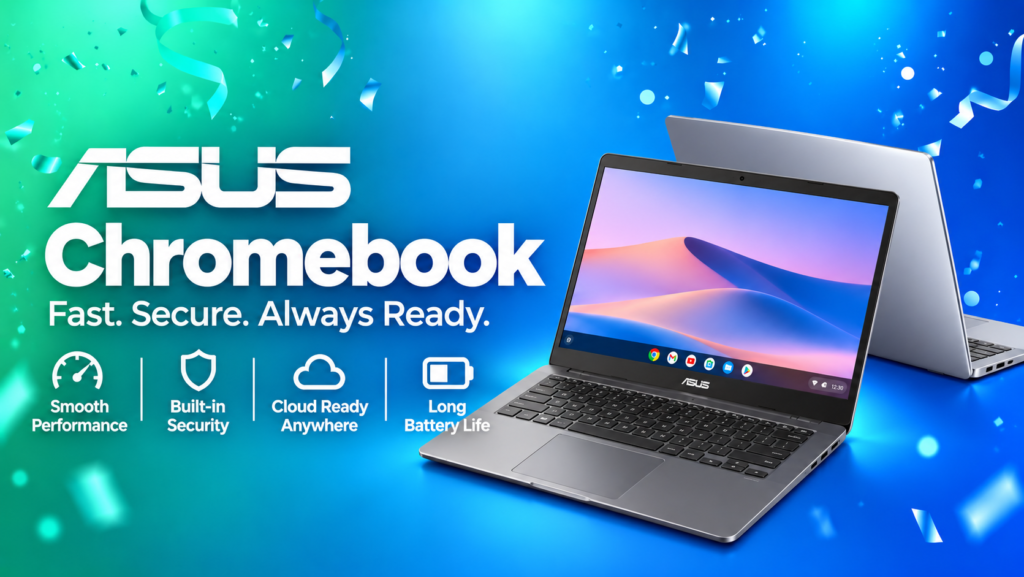

About ASUS Chromebook
An ASUS Chromebook is a laptop that runs Google ChromeOS instead of Windows. It is designed primarily for web browsing, online applications, cloud-based work, video streaming, document editing and education.
ChromeOS works closely with Google services such as Gmail, Google Drive, Google Docs, Google Meet and Google Classroom. Some Chromebook models also support compatible Android applications, depending on device and software compatibility.
ASUS offers different Chromebook families, including compact CX-series laptops, CM-series models, detachable Chromebook devices and Chromebook Plus options. Features and availability vary by model and configuration.
Popular ASUS Chromebook Models in India
1. ASUS Chromebook CX14
The ASUS Chromebook CX14 is a compact 14-inch Chromebook designed for everyday computing. Selected configurations feature an Intel Core 3 N355 processor, integrated Intel graphics, up to 8GB memory and Wi-Fi 6E.
Key highlights:
- 14-inch display, with resolution and panel features varying by configuration
- ChromeOS operating system
- Lightweight design for everyday portability
- HDMI and other connectivity options, depending on configuration
- Suitable for browsing, online classes and document editing
Best for: Students, home users and people who prefer a compact laptop for everyday tasks.
2. ASUS Chromebook CX15
The ASUS Chromebook CX15 is designed for people who prefer a larger 15.6-inch screen. Selected configurations include an Intel Core 3 N355 processor, integrated graphics, up to 8GB memory and Wi-Fi 6E.
Key highlights:
- Large 15.6-inch display
- ChromeOS experience
- Connectivity options that can include HDMI and USB ports
- Suitable for multitasking across browser tabs and productivity applications
Best for: Home users, students and people who prefer a larger display for reading, streaming and working.
3. ASUS Chromebook CM14
The ASUS Chromebook CM14 combines a 14-inch display with a portable design. ASUS lists configurations featuring a MediaTek Kompanio 540 processor, up to 8GB memory and Wi-Fi 6.
Key highlights:
- 14-inch display
- Lightweight design, with a listed weight of approximately 1.37kg
- ChromeOS
- HDMI connectivity on listed configurations
- Designed for everyday productivity and online activities
Best for: Students and users who want a portable Chromebook for study and routine work.
4. ASUS Chromebook CM15
The ASUS Chromebook CM15 offers a larger 15.6-inch screen in the CM-series range. Selected listings feature a MediaTek Kompanio 540 processor and up to 4GB memory.
Key highlights:
- 15.6-inch display
- ChromeOS
- USB Type-C connectivity
- Large-screen experience for everyday browsing and streaming
Best for: Users who prioritise screen size for basic tasks. Check the memory configuration carefully before purchasing if you regularly use many browser tabs.
5. ASUS Chromebook CM32 Detachable
The ASUS Chromebook CM32 Detachable is a more versatile option with a 12.1-inch 2.5K touchscreen and a detachable keyboard.
Key highlights:
- 12.1-inch 2.5K touchscreen display
- MediaTek Kompanio 540 processor
- Up to 12GB LPDDR5X memory
- Up to 256GB eMMC storage
- Wi-Fi 7 connectivity on listed specifications
- Detachable keyboard design
Best for: Students and mobile users who want a compact device that can work as a tablet-style touchscreen device or with a keyboard.
Check whether the keyboard and other accessories are included in the specific package you intend to purchase.
6. ASUS Chromebook CX1
The ASUS Chromebook CX1 is an older Chromebook family that may be available through selected retailers or remaining inventory.
Depending on the model, specifications can include:
- 14-inch or 15.6-inch display options
- Up to 8GB memory
- eMMC storage
- Wi-Fi connectivity
- A lightweight design
Best for: Budget-conscious buyers who find a suitable configuration at a competitive price.
Before buying an older Chromebook, verify its remaining ChromeOS update support, warranty, battery condition if refurbished, and exact model number.
7. ASUS Chromebook Plus
Chromebook Plus is a category of Chromebook designed to offer enhanced hardware capabilities and productivity features. ASUS has listed Chromebook Plus models in its product range.
Depending on the specific model, features may include:
- More capable processors
- Higher memory and storage configurations
- Full HD or higher-resolution displays
- Improved video-call hardware
- Additional productivity and AI-related software features
Best for: Users who need more performance for multitasking, online meetings and demanding web-based work.
Do not assume every Chromebook Plus model includes the same processor, memory, display or AI features. Check the exact product listing.
8. ASUS ExpertBook CX54 Chromebook Plus
The ASUS ExpertBook CX54 Chromebook Plus is a business-focused Chromebook family. ASUS lists configurations with an Intel Core Ultra processor, up to 16GB memory, a 16:10 WQXGA display and an approximately 1.3kg all-metal chassis.
Key highlights:
- Premium business-oriented design
- High-resolution display on listed configurations
- Up to 16GB memory
- Portable metal construction
- Productivity-focused features
Best for: Professionals and business users looking for a premium ChromeOS laptop. Confirm current availability and configuration before adding it to your shortlist.
ASUS Chromebook Price in India
ASUS Chromebook prices vary according to the processor, screen size, memory, storage, display type and retailer offers.
The following are indicative prices observed on ASUS India product listings, not guaranteed current selling prices.
| ASUS Chromebook model | Indicative listed price |
|---|---|
| ASUS Chromebook CX14 | ₹18,990 |
| ASUS Chromebook CX1, 14-inch | ₹22,990 |
| ASUS Chromebook CM14 | ₹28,990 |
| ASUS Chromebook CM15 | ₹30,990 |
| ASUS Chromebook CX15 | ₹33,990 |
| ASUS Chromebook CM32 Detachable | ₹37,990 |
Prices, discounts, stock and included accessories may change. Some listed prices may relate to particular configurations and may not match the specifications shown on a general product page.
Before purchasing, compare the final checkout price, delivery charges, warranty, return policy and seller details.
Main Features of ASUS Chromebooks
ChromeOS operating system
ChromeOS is built around web-based computing, making it suitable for browser applications, online documents, email, video calls and cloud storage. Its interface is generally straightforward for first-time laptop users.
Portable designs
Many ASUS Chromebook models are designed for carrying between home, school, college and work. Choose a screen size and weight that suit your daily routine.
Battery life
Battery performance differs by model, configuration, workload, display brightness and network use. ASUS advertises all-day usage on selected Chromebook models, but actual battery life may be lower than manufacturer estimates.
Display options
ASUS Chromebooks are available with different screen sizes and display configurations. Some models offer Full HD panels, while the CM32 Detachable offers a 2.5K touchscreen on listed specifications.
Connectivity
Depending on the model, ports and wireless options may include USB Type-C, USB Type-A, HDMI, Wi-Fi 6 or Wi-Fi 6E. The CM32 Detachable lists Wi-Fi 7. Confirm the port configuration before purchasing peripherals.
Security and updates
ChromeOS includes built-in security mechanisms and receives updates according to Google’s device support policy. Update eligibility and the remaining support period vary by model, so check the specific device before buying older stock.
Google applications and compatible Android apps
Chromebooks work with Google applications and web services. Some models support compatible Android apps through Google Play, but application availability and compatibility can vary. Do not assume every Windows desktop program can be installed on ChromeOS.
Which ASUS Chromebook Should You Buy?
- For a tight budget: Compare the ASUS Chromebook CX14 and older CX1 models, checking update support and configuration.
- For everyday student use: Consider the ASUS Chromebook CM14 or CX14.
- For a larger display: Compare the CM15 and CX15.
- For touchscreen and detachable use: Explore the ASUS Chromebook CM32 Detachable.
- For multitasking: Look for a suitable Chromebook Plus model with sufficient memory and storage.
- For business use: Compare the ASUS ExpertBook CX54 Chromebook Plus and its exact specifications.
These are starting points, not universal rankings. The best Chromebook is the one that supports your applications, budget and intended workload.
ASUS Chromebook for Students
An ASUS Chromebook can be useful for students who mainly work online. Common activities include attending online classes, researching topics, creating documents, preparing presentations and submitting assignments.
Potential advantages include:
- Access to browser-based learning platforms
- Compatibility with Google Docs, Sheets and Slides
- Lightweight options for commuting
- Cloud storage and collaboration tools
- Simple setup for supported education environments
However, check your school’s or college’s software requirements first. If your course requires Windows-only engineering, design, accounting or programming applications, a Windows laptop may be more appropriate.
ASUS Chromebook for Office and Work
ASUS Chromebooks can handle many routine work tasks, including email, online meetings, document editing, web research and cloud-based collaboration.
They may be suitable for:
- Freelancers who use browser-based tools
- Remote workers using web applications
- Small-business administration
- Online customer support
- Document preparation and collaboration
If your job requires specialised desktop software, advanced video editing, local development tools or particular enterprise applications, verify compatibility before choosing ChromeOS.
ASUS Chromebook vs Windows Laptop
| Feature | ASUS Chromebook | Windows laptop |
|---|---|---|
| Operating system | ChromeOS | Windows |
| Main use | Web and cloud-based work | Broad range of desktop and web tasks |
| Google apps | Strong integration | Available through browser and apps |
| Windows desktop software | Generally not supported natively | Supports compatible Windows programs |
| Offline work | Supported by selected apps and downloaded files | Supported by many installed applications |
| Gaming | Best for supported cloud, web and Android games | Broader PC game compatibility, depending on hardware |
| Typical buyer | Students and web-focused users | Users with varied software and performance needs |
Neither option is best for everyone. Consider the applications you need and the total price before deciding.
How to Find ASUS Chromebook Deals on CouponAtoZ.com
Follow these steps to compare available offers:
- Visit CouponAtoZ.com and open the ASUS Chromebook or laptop deals section.
- Choose the Chromebook model that matches your budget and requirements.
- Compare the processor, memory, storage, screen size and connectivity.
- Check the current price on the retailer’s product page.
- Review any eligible coupon codes, bank offers, student discounts or promotional deals.
- Read the retailer’s warranty, return and delivery terms.
- Complete the purchase on the retailer’s official website or authorised sales channel.
Important: CouponAtoZ.com helps users discover coupons, discounts and deals. Always check whether a coupon is valid for your selected model and whether the offer has any exclusions. Availability and eligibility can change.
Tips for Buying an ASUS Chromebook at a Better Price
- Compare the exact model number rather than relying only on the product family name.
- Check whether the device has 4GB, 8GB, 12GB or 16GB memory.
- Consider 8GB memory or more if your workload involves frequent multitasking, subject to your budget and application requirements.
- Verify storage capacity and whether it meets your needs.
- Check the remaining ChromeOS update support for older models.
- Compare the effective price after eligible bank discounts and coupon codes.
- Check the seller’s reputation, warranty coverage and return terms.
- Avoid paying extra for features you will not use.
- Check the keyboard layout, display resolution and port selection.
- Confirm whether a touchscreen, stylus or detachable keyboard is included.
Frequently Asked Questions About ASUS Chromebooks
1. What is the price of an ASUS Chromebook in India?
Prices depend on the model and configuration. ASUS India listings have shown entry-level options around ₹18,990 and higher-specification or detachable models at higher prices. Check the current official listing before purchasing.
2. Is an ASUS Chromebook good for students?
Yes, it can be a good choice for students who mainly use online classes, web research, documents and browser-based educational tools. Confirm that it supports the applications required for your course.
3. Can I install Windows on an ASUS Chromebook?
Chromebooks are designed to run ChromeOS. Installing Windows is not a standard supported process and may not work properly. If you require Windows software, consider buying a Windows laptop instead.
4. Can I use Microsoft Office on an ASUS Chromebook?
You can use supported Microsoft 365 web applications through a browser. Desktop Office installation and features differ from a traditional Windows laptop, so verify your specific requirements.
5. Can I play games on an ASUS Chromebook?
You can play compatible browser games, Android games on supported models, and supported cloud-streaming games. Performance and game availability depend on the device and service. Chromebooks are not a direct replacement for gaming laptops designed for demanding PC games.
6. Does an ASUS Chromebook support Android apps?
Some ASUS Chromebooks support compatible Android applications through Google Play. Availability depends on the model, software support and application requirements.
7. Is an ASUS Chromebook good for programming?
It can support browser-based coding tools and certain development workflows. Linux development environments are available on supported devices, but compatibility depends on the model and software. Students who require specialised desktop development software should check course requirements first.
8. Which ASUS Chromebook is best for everyday use?
The CX14 and CM14 are options to compare for everyday browsing, study and productivity. Buyers who prefer a larger screen may consider the CX15 or CM15. The best choice depends on the exact configuration and current price.
9. Do ASUS Chromebooks have good battery life?
Some models are advertised for all-day use, but real-world battery life depends on the workload, brightness, connectivity and battery condition. Review independent testing where available and check the manufacturer’s specifications.
10. Where can I find ASUS Chromebook offers?
Check the official ASUS India website and authorised retailers. You can also browse CouponAtoZ.com for available coupons, discounts and deals. Verify all offer conditions on the retailer’s checkout page.
11. Are ASUS Chromebook Plus models different from regular Chromebooks?
Chromebook Plus is a category with defined hardware and productivity requirements. The precise capabilities depend on the model, so compare processor, memory, storage, display and included features.
12. Should I buy an older ASUS Chromebook at a discount?
Only after checking its remaining ChromeOS update support, specifications, battery condition if applicable, warranty and seller reliability. A lower price may not be worthwhile if the device no longer receives important updates.
Final Verdict: Are ASUS Chromebooks Worth Buying?
ASUS Chromebooks are worth considering if you need a laptop for online study, browsing, streaming, document editing and cloud-based productivity. The range includes compact 14-inch models, larger 15.6-inch options, detachable touchscreen devices and higher-specification Chromebook Plus models.
Before buying, compare the exact configuration, application compatibility, update support and final price. Use CouponAtoZ.com to discover relevant ASUS Chromebook offers and check the retailer’s terms before placing your order.
Affiliate disclosure: Some links on CouponAtoZ.com may be affiliate links. If you purchase through an eligible link, the website may earn a commission at no additional cost to you. Offers and prices are subject to retailer terms and availability.